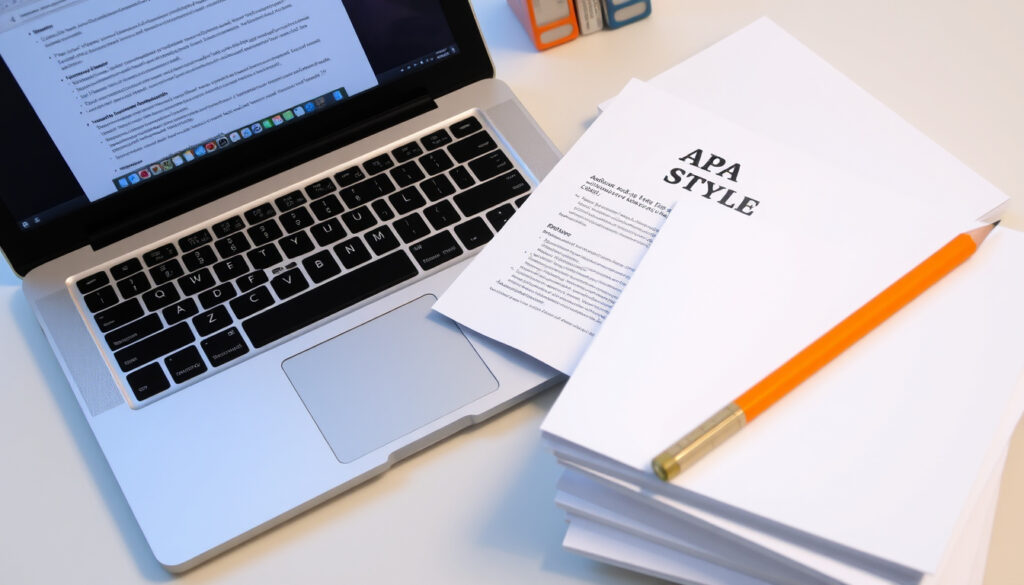
APA 7 Title Page: Formatting Guidelines & Examples
A blank page with a title you’re unsure about—bold or not, running head needed—can stall your paper before you start. The APA 7th edition has clear rules, and getting them right can mean the difference between a paper that looks professional and one that gets flagged. This guide walks through every element, with official sources and examples, so you can format your title page with confidence.
Running head (student papers): Not required ·
Running head (professional): Required ·
Title font style: Bold, 12pt Times New Roman ·
Margins: 1 inch on all sides
Quick snapshot
- Includes paper title, author names, affiliation, course, instructor, due date – no running head (APA Style official style guide)
- Includes paper title, author names, affiliation, running head, author note – no course or instructor info (Scribbr academic resource)
- Incorrect font, missing page number, title not bold, wrong spacing, running head on student papers (Purdue OWL writing lab)
- APA Style sample papers, Purdue OWL guide, Scribbr template, Microsoft Word built-in template (APA Student Paper Setup Guide official PDF)
| Element | Requirement | Source |
|---|---|---|
| Font size | 12 pt Times New Roman or equivalent serif | Purdue OWL writing lab |
| Title capitalization | Title case, bold, centered | APA Style official style guide |
| Spacing | Double-spaced throughout | Purdue OWL writing lab |
| Margins | 1 inch all sides | APA Student Paper Setup Guide official PDF |
| Page number | Top right, flush right, page 1 | Purdue OWL writing lab |
| Running head (professional) | All caps, max 50 characters, left-aligned | Hawaii Pacific University LibGuide academic guide |
What are the required elements of an APA 7 title page?
Student title page elements
For student papers, the APA Style official style guide mandates: paper title, author names (byline), author affiliation (department and university), course number and name, instructor name, and due date. No running head appears on a student title page, as confirmed by the Scribbr academic resource.
Professional title page elements
Professional papers require the same title and author information, plus a running head, an author note, and a page number. Course and instructor details are omitted. The running head is an abbreviated title in all caps, ≤50 characters, flush left on every page (Purdue OWL writing lab).
Differences between student and professional
- Running head: student – none; professional – required.
- Author note: student – none; professional – included below affiliation.
- Course/instructor: student – included; professional – excluded.
- Due date: student – included; professional – excluded.
- Page number: both require page 1 in top-right header.
The implication: mixing formats is the #1 error. A student submission with a running head signals confusion, while a journal article missing it will be rejected outright.
How to format an APA 7 title page step by step
Set up margins and font
Start with 1-inch margins on all sides (APA Student Paper Setup Guide official PDF). Use Times New Roman 12pt or another serif font. Double-space the entire page. No extra spacing before or after paragraphs – set line spacing to exactly 2.0.
Add page number
Insert page number 1 flush right in the header. On a student paper, that’s the only header text. For professional papers, add the running head flush left, all caps, with “Running head:” label only on the title page (Hawaii Pacific University LibGuide academic guide).
Add title
Place the title in the upper half of the page, about 3–4 lines from the top. Center it, bold, in title case. If the title has a subtitle, place it on a separate double-spaced line (CT State Library guide academic guide). No maximum length, but keep it focused and avoid abbreviations.
Add author information
Below the title, add one blank double-spaced line (for professional papers only – Hawaii Pacific University LibGuide academic guide). Then list author names: first name, middle initial(s), last name. Affiliation includes department and university, separated by a comma. For professional papers, add a running head all caps ≤50 characters left-aligned, and an author note flush left at the bottom.
Add course and instructor (student papers)
For student papers only, add the course number and name, instructor name, and due date in month-day-year format. The Regis College LibGuide academic guide notes that instructors’ guidelines always supersede APA rules, so check your syllabus first.
Following the template exactly saves you from losing points on a technicality – but always verify with your instructor because some departments tweak the format.
What font size and style should I use for an APA 7 title page?
Font requirements
APA 7 requires a serif font: Times New Roman 12pt, Georgia 11pt, or Computer Modern. Sans-serif fonts like Arial or Calibri are acceptable only for figure labels, not the title page (APA Style official style guide).
Title formatting
- Bold – yes, for the title only.
- Italics – no. Underlining – no. All caps – no.
- Font size for title – same 12pt as the rest of the page. No larger or smaller.
- Title case: capitalize major words (nouns, pronouns, verbs, adjectives, adverbs, subordinating conjunctions).
The catch: many students instinctively enlarge or italicize the title. APA 7 explicitly forbids that – keep it consistent with the body text.
Does an APA 7 title page include a running head?
Student papers vs professional papers
No for students, yes for professionals. The APA Student Paper Setup Guide official PDF states: “Student papers do not include a running head.” For professional manuscripts (journal submissions, dissertations), the running head appears on every page, including the title page.
When to use a running head
- Student assignments, theses reviewed by faculty: no running head unless your instructor requests it.
- Journal submissions, grant proposals, conference papers: running head required.
- Running head format: all caps, ≤50 characters including spaces, flush left. On the title page only, precede it with “Running head:” – subsequent pages use just the abbreviated title.
Why this matters: a running head on a student paper is a dead giveaway that you used an old APA 6 template. In APA 6, running heads were required for all papers; APA 7 simplified it. Using the wrong version can make your paper look outdated.
Where can I find APA 7 title page examples and templates?
Official APA Style website
The APA Style official style guide provides sample papers (PDF) that show exact student and professional title pages. Also available: the APA Style blog with real-life corrections.
Purdue OWL
Purdue OWL writing lab offers a step-by-step guide with screenshots, covering every element from margins to the author note.
Scribbr
Scribbr academic resource has a free downloadable template for Word and Google Docs, plus a video tutorial.
Microsoft Word built-in templates
In Word 365/2021, search “APA 7th edition” in the template gallery. It includes pre-formatted title pages for student and professional papers, though double-check the running head placement – some built-in templates still follow APA 6.
The pattern: official sources are free and reliable; third-party templates save time but verify against the APA manual to catch any version drift.
Three key differences, one pattern: student pages carry course context, professional pages carry publication metadata, and the running head is the biggest tell.
| Element | Student Title Page | Professional Title Page |
|---|---|---|
| Running head | Not required | Required (all caps, ≤50 chars) |
| Author affiliation | Dept & University | Dept & University |
| Course number & name | Required | Not included |
| Instructor name | Required | Not included |
| Due date | Required | Not included |
| Author note | Not required | Required (flush left below affiliation) |
| Page number | Top right (page 1) | Top right (page 1) |
Six formatting specs, one key takeaway: consistency matters more than creativity – the title is bold but same font size; the page number is flush right but no running head for students.
| Specification | Detail |
|---|---|
| Font | Times New Roman 12pt (or Georgia 11pt) |
| Title | Bold, centered, title case, upper half of page |
| Spacing | Double-spaced throughout, no extra blank lines (except one blank line before author names on professional pages) |
| Margins | 1 inch all sides |
| Page number | Top right, flush right, Arabic numeral 1 |
| Running head (professional) | All caps, ≤50 chars, left-aligned; “Running head:” label only on title page |
Confirmed facts
- Student title page does not require a running head – APA Student Paper Setup Guide official PDF
- Title must be bold and centered – Purdue OWL writing lab
- Font must be 12pt Times New Roman or equivalent serif – APA Style official style guide
“The student title page includes the paper title, author names (the byline), author affiliation, course number and name for which the paper is being submitted.”
APA Style official style guide
“Type your title in upper and lowercase letters centered in the upper half of the page. The title should be centered and written in boldface.”
Purdue OWL writing lab
For students and professionals alike, the path to a polished paper starts with a perfectly formatted title page – and skipping the running head on a student paper is the easiest fix. The next time you open a blank document, you already know: bold the title, double-space everything, and check whether your instructor expects the running head. Get that right, and the rest of the paper flows much more smoothly.
Related reading: What is a T1? · What Does AD Stand For
Frequently asked questions
What is the difference between APA 6 and APA 7 title page?
APA 7 removed the running head requirement for student papers and no longer uses the phrase “Running head:” on subsequent pages for professional papers. APA 6 also required a running head on all papers.
Can I use color on the APA 7 title page?
APA does not prohibit color, but for academic submissions black-and-white is standard. Use color only if instructed or for figures.
Do I need a separate cover page?
Yes – the title page is the first page of the paper. No separate cover sheet is used unless your instructor specifically asks for one.
How to format a group author name on the title page?
List the group name (e.g., American Psychological Association) as the author. For multiple groups, separate with semicolons.
Is the title page counted in page numbering?
Yes. The title page is page 1. The number appears in the top-right header.
What if my title is longer than one line?
Use multiple double-spaced lines. Center the title block. No extra spacing between lines of the title.
Do I need to include the word “Running head” on the title page?
Only for professional papers, and only on the title page. Subsequent pages use just the abbreviated title.
How to indent the first line of the title?
Do not indent the title. It should be centered, not indented.
More related posts
 When Does Gen Z Start? Birth Years, Age Range 2024
 Jang Ki-yong Age, Height, Dramas and Filipino Lookalike
 Bank of Canada Rate Cuts – Timeline and Mortgage Impacts
 Maison a Vendre Boucherville – Prices, Listings & 2025 Guide
 Night of Champions 2025: Results, Date, Time & How to Watch
 Alberta Teachers’ Association Strike 2025: Updates and End
 390 USD to CAD: Live Rate & Conversion Guide (2023)
 Lucknow Super Giants vs Gujarat Titans – LSG Wins by 33 Runs
